
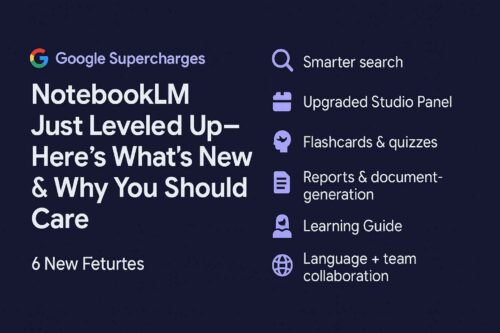
Google has changed the AI workspace again. NotebookLM is already a great tool for taking notes and learning, but it has now gotten a bunch of new features that make it a full-fledged hub for learning, teaching, researching, and working together. These aren’t small changes; they’re big ones that will revolutionize the way people study, create, and work together.
This is all the information you need.
1. Video Overviews: Slides with Narration and Context
NotebookLM now makes presentations with AI-powered voiceovers. It makes visual and auditory summaries with graphs, quotes, and context based on your own sources. People can:
- Choose the degree of your audience (basic, expert, etc.)
- Concentrate on particular areas or subjects
- Share in more than 80 languages so that everyone can use it.
Why it matters: Making static notes into narrated explainers makes learning (and teaching) a lot more fun.
2. Improved Studio Panel
The new Studio interface is more powerful, smarter, and cleaner:
- A notebook can have more than one output of the same type, such numerous Audio Overviews in various languages.
- You can really multitask by listening to audio while looking at a Mind Map or Study Guide.
Why it matters: Streamlined workflows lead to speedier creation and a better user experience.
3. Flashcards and quizzes in active learning mode
NotebookLM can now make the following from your PDFs, notes, or lecture files:
- Flashcards that you can use
- Multiple-choice quizzes with answers and sources
- Custom levels of difficulty and areas of concentration
Why it matters: Reading passively turns into learning actively. A big help for students, trainers, and professionals.
4. Reports and documents that are smarter
NotebookLM has improved how it makes documents:
- Blogs, study aids, briefings, and glossaries are all made automatically.
- Customization of tone and format (academic, business, industry).
Why it matters: Faster, higher-quality knowledge products without extra effort.
5. Learning Guide—More Than Just Summaries
The Google NotebookLM Updates Learning Guide goes into more detail:
- Goes over the logic step by step
- Asks questions that help you comprehend better
- Gives you a second chance if you miss a quiz answer
Why it matters: NotebookLM seems more like a personal tutor than a tool.
6. Language for Everyone and Teamwork
Video and audio overviews in more than 80 languages
Share individual things like mind maps, music, and quizzes without sharing the complete notebook.
Why it matters: Working together across boundaries, making group initiatives easier, and being more open to everyone.
What Changed or Went Away
It’s now difficult to find FAQ and Timeline prompts because they are less visible in menus. Workaround: use the “Report” option to make them.
Why it matters: Features are still there, but it’s harder to find them.
Why This Update Is Important
Reading passively is not as good as learning actively.
- Works for all types of learning (visual, aural, and interactive)
- Global reach through multi-language support
- Working together and trusting outputs that are linked to a source
To put it simply, NotebookLM is more than just a place to take notes. It’s a combination of a personal tutor, a research assistant, and a team hub.
What to See Next:
The rollout is still going on, so not all users can see all the features Google NotebookLM Updates yet.
- Video Overviews could look better.
- Always check the accuracy of your citations.
- Too long; didn’t read
- NotebookLM recently got their degree.
- From taking notes to studying, teaching, and working together.
This is one of the best AI enhancements of 2025 for kids, teachers, entrepreneurs, and researchers. Find more latest Tech related innovations and informations on buzzmora technews page.
FAQs – Google NotebookLM Updates
Q1: Do you have to pay to use NotebookLM?
Right now, it’s free for a small number of users at Google Labs, but paid tiers are expected.
Q2: Are these functionalities available in languages other than English?
Yes, Video/Audio Overviews work with more than 80 languages.
Q3: Are my notes protected in NotebookLM?
Yes, Google has incorporated new privacy and encryption settings to help secure your data.